fv777 App – Download APK for Android
Cricket, live casino and Crash games — all in one free app. Install in under two minutes on any Android phone.
Scan the QR code or tap the button below to get the latest fv777 APK (v3.8.2). No Google Play needed. Direct download, free of charge.
Scan to Download
Point your phone camera at the QR code to open the fv777 APK download page directly. Works on all Android 7.0+ devices. No app store account required.
- SSL Encrypted
- 18+ Only
- 24/7 Support
- bKash & Nagad
- Virus-Free APK
What You Get with the fv777 App
Live Cricket Betting
Bet on T20, ODI and BPL matches ball by ball. The app updates odds in real time so you never miss a moment. Full market coverage — match winner, top scorer, over/under runs. Works smoothly on a 4G connection.
Slots & Crash Games
Over 3,000 games from Pragmatic Play, JILI, FA Chai and more. Crash games like Aviator load in seconds. Minimum bet from ৳1 — perfect if you want short sessions between matches or on a commute.
Live Casino Tables
Real dealers, HD video streaming directly in the fv777 app. Blackjack, Baccarat and Roulette tables are open around the clock. Mobile-optimised layout means card values and bet controls stay readable on small screens.
Instant bKash & Nagad Deposits
Top up your account in around 1 minute using bKash, Nagad, Rocket or Upay — all inside the app. Minimum deposit ৳100. No bank account required. The app remembers your payment method so checkout is two taps next time.
Push Notifications
Get notified when your withdrawal completes, when a live match starts, or when a new promotion drops. You can customise which alerts you receive in Settings. Notifications keep you updated without needing to open the app constantly.
Dark-Mode Interface
The fv777 app uses a deep-green dark theme that is easy on the eyes at night. The screen stays readable in direct sunlight too — high-contrast labels and large tap targets make navigation comfortable whether you're indoors or outside.
fv777 App at a Glance
The fv777 app puts cricket betting, live casino and fast withdrawals into a single 45 MB download. It runs on Android 7.0 and above — that covers most phones currently in use across Bangladesh.
Fast Load
Pages open in under 2 seconds on a standard 4G connection.
Auto Updates
The app notifies you when v3.8.2 is superseded — tap once to update.
Two Languages
Switch between English and Bangla in the app settings at any time.
In-App Support
Live chat accessible from every screen — 24/7 response.
File: fv777.apk · 45 MB · Android 7.0+
New to fv777? Register here first so your account is ready when the app installs. Already have an account? Head to fv777 Login.
How to Install the fv777 APK on Android
Android blocks APK files from outside the Play Store by default. Follow these five steps — the whole process takes roughly two minutes on most phones.
Go to Settings → Apps → Special App Access → Install Unknown Apps (exact path varies by phone brand). Find your browser or file manager and toggle "Allow from this source" to on. This one-time step is required for any APK outside the Play Store — including the official fv777 app.
Tap the "Download APK" button on this page or scan the QR code. The file is 45 MB — it downloads in around 15–30 seconds on a 4G connection. Your browser will show a progress bar. Make sure you are on this official site (fv777.co) so you get the authentic file.
When the download finishes, your browser will show an "Open" prompt. You can also pull down the notification shade and tap the fv777.apk entry there, or find the file in Downloads using your phone's file manager. Android will ask you to confirm the install — tap "Install".
Android verifies and installs the APK — this takes about 10 seconds. You will see a "App installed" confirmation on screen. The fv777 icon will appear on your home screen and in the app drawer. You do not need to restart your phone.
Open the fv777 app and tap "Log In" if you already have an account, or "Register" to create one (takes under three minutes). After logging in, go to the Deposit tab, choose bKash or Nagad, and top up at least ৳100 to claim your welcome bonus. See also: fv777 Register guide.
iOS Users – Add fv777 to Your Home Screen
There is no separate iOS app. Instead, you can pin the fv777 mobile site to your iPhone or iPad home screen — it behaves like a native app, opens full-screen, and keeps you logged in.
System Requirements & Version Info
| Specification | Detail |
|---|---|
| App Version | 3.8.2 |
| File Size | 45 MB |
| Android Minimum | 7.0 (Nougat) |
| Last Updated | 2 November 2026 |
| Price | Free |
| Languages | English, Bangla |
| iOS Support | Web shortcut (Safari) |
| Internet Required | Yes (4G or Wi-Fi) |
Games You Can Play on the fv777 App
View All Games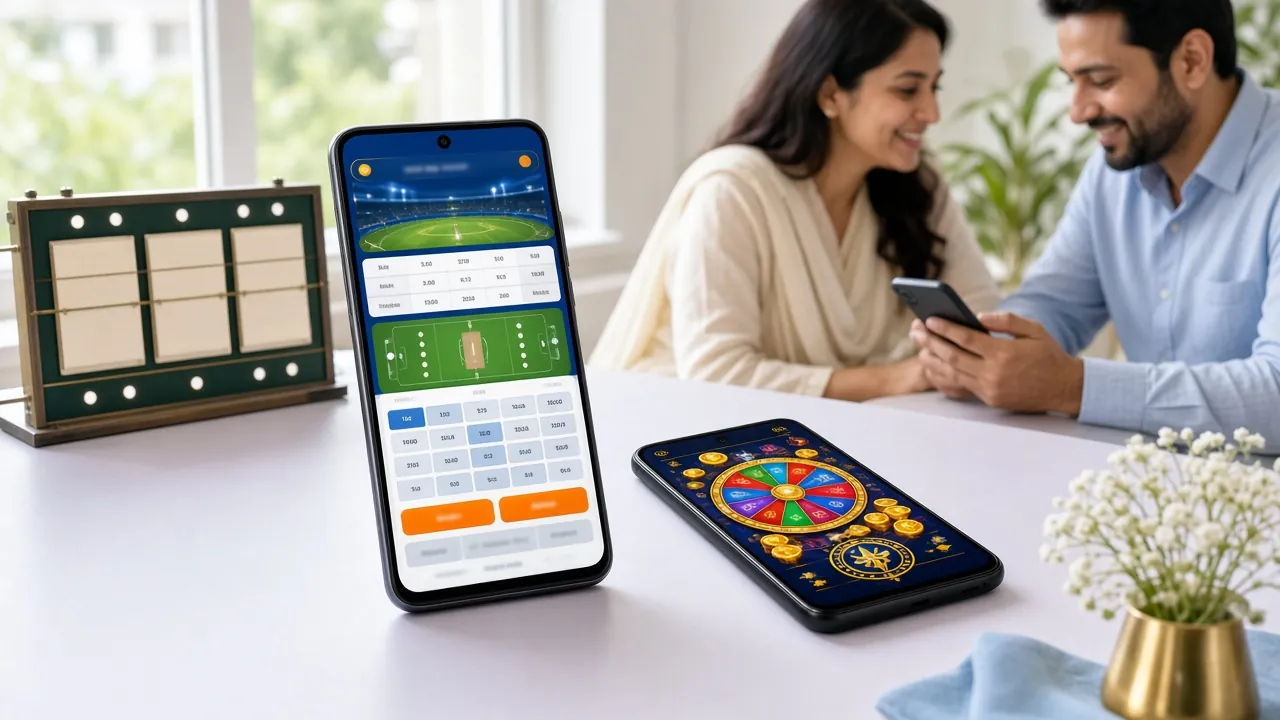


The app gives you access to all games in the fv777 Casino lobby, plus live sports betting. Categories include Slots, Live Casino, Fishing, Crash and Sports. All bets are settled in ৳.
fv777 App vs Web Browser
Both options give you the full game library and payment methods. The app has a small edge in speed and convenience — here is a direct comparison.
| Feature | fv777 App (Android) | Web Browser |
|---|---|---|
| Installation required | Yes – 45 MB APK, one-time | No – open fv777.co directly |
| Works on iOS | Not natively | Yes, full Safari support |
| Works on Android | Yes – native APK | Yes – Chrome / Firefox |
| Push notifications | Yes – real-time alerts | Not supported |
| Load speed (4G) | Faster – cached assets | Slightly slower on first load |
| bKash / Nagad deposit | Yes | Yes |
| Full game library | Yes – all 3,000+ games | Yes |
| Minimum deposit | ৳100 | ৳100 |
| Withdrawal time | ~20 minutes | ~20 minutes |
| Home screen shortcut | App icon, one tap | Bookmark / PWA shortcut |
| Auto-update | In-app notification | Always latest version |
| Battery usage | Low – optimised for mobile | Moderate (browser overhead) |
Either way, your account, balance and bonuses are shared — you can switch between app and browser freely.
Security & App Permissions
The fv777 APK is served over HTTPS from fv777.co with an SSL certificate. Here is exactly what permissions the app requests and why each one is needed.
Virus-Free & Signed APK
Every fv777.apk release is digitally signed before publishing. The file you download from fv777.co has not been modified. If you downloaded from a third-party site, delete it and use the official link on this page. Android will warn you if the signature does not match.
Network Access Only
The app requests internet permission to load games, place bets and process deposits. It does not request access to your SMS, contacts or call log. All transaction data travels over encrypted TLS connections — your bKash or Nagad details are never stored in the app.
Notifications Permission
The app asks for notification permission to send you withdrawal confirmations and match-start alerts. You can allow or deny this during setup, and change your choice at any time in Android Settings → Apps → fv777 → Notifications. Denying it has no effect on gameplay.
Account Security
Use a unique password for your fv777 account. Never share your login with anyone. If you suspect unauthorised access, contact [email protected] immediately — the team responds 24/7. KYC verification adds an extra layer of protection before any withdrawal is processed.
Common Installation Problems & Fixes
Most install errors have a simple fix. Check the table below before contacting support.
| Problem | Likely Cause | How to Fix |
|---|---|---|
| Install blocked – "not allowed" | Unknown sources permission is off for your browser or file manager | Go to Settings → Apps → Special App Access → Install Unknown Apps. Find your browser (e.g. Chrome) and toggle "Allow from this source" to on. Then re-open the downloaded fv777.apk file. |
| "App not installed" error after tapping Install | An older version of the fv777 app is already on the phone, or the APK file downloaded incompletely | Uninstall any existing fv777 app first (long-press icon → Uninstall). Then delete the old APK from your Downloads folder and re-download the full 45 MB file from this page. Check your storage has at least 100 MB free. |
| APK download stops midway | Unstable internet connection during the 45 MB download | Switch to Wi-Fi or move to an area with stronger 4G signal. Clear your browser's download queue and tap the Download APK button again. Do not use a VPN — it can interrupt the connection to fv777.co. |
| App crashes on launch | Android version below 7.0, or insufficient RAM (less than 1 GB free) | Check your Android version in Settings → About Phone. The fv777 app requires Android 7.0 or above. Close background apps to free RAM, then relaunch. If the problem continues, uninstall, restart your phone, and reinstall the APK fresh. |
| Games do not load inside the app | Slow connection or cached data conflict after an app update | Make sure you have a stable 4G or Wi-Fi connection — Crash and Live Casino games need at least 5 Mbps. If games loaded before but stopped after an update, go to Settings → Apps → fv777 → Storage → Clear Cache, then reopen the app. Contact [email protected] if the issue persists. |
How to Get Started in Five Steps
-
01
Download the APK
Tap the Download APK button on this page or scan the QR code. The fv777.apk file (45 MB) goes straight to your Downloads folder — no app store account needed.
-
02
Allow Unknown Sources
Open your phone's Settings → Security → enable "Install unknown apps" for your browser or file manager. Android 7.0 and above supports this per-app permission.
-
03
Install the App
Open the downloaded file from your notifications bar or file manager. Tap Install, wait a few seconds, then tap Open. The whole process takes under two minutes.
-
04
Create Your Account
Tap Register inside the app, fill in your mobile number and a password, then verify with the OTP sent to your phone. Your fv777 account is ready instantly.
-
05
Deposit and Play
Go to Deposit, choose bKash, Nagad, Rocket or Upay, and send any amount from ৳100. Funds arrive in about 1 minute so you can start betting straight away.
Frequently Asked Questions
01 Is the fv777 APK safe to download?
Yes. The fv777.apk file is hosted directly on fv777.co and served over an HTTPS connection with an SSL certificate. Each release is digitally signed so Android can verify the file has not been tampered with. Only download from fv777.co — third-party APK sites may distribute modified versions. If your antivirus flags it, that is a standard false positive triggered by gambling-app categories, not actual malware.
02 Why does Android block the installation?
Android blocks APK files from outside the Play Store by default to protect users from unknown sources. To install the fv777 app, go to Settings → Apps → Special App Access → Install Unknown Apps, select your browser, and enable "Allow from this source." This is a one-time step per browser. The fv777 app is not on the Play Store because Google restricts real-money gaming apps in some regions.
03 How do I update to the latest fv777 app version?
The fv777 app displays an in-app notification when a newer version is available. Tap the notification to go to the download page, download the latest APK, and install it over the existing app — your account data and balance are preserved. You can also check the version number on this page (currently v3.8.2, updated 2026-11-02) and compare it with what shows in App Settings → About.
04 Is there a fv777 app for iPhone (iOS)?
There is no native iOS app at this time. iPhone and iPad users can access the full fv777 platform through Safari. For the best experience, add fv777.co to your home screen: open Safari, tap the Share button, then select "Add to Home Screen." The site opens full-screen without the browser toolbar, and all features — betting, deposits, live casino — work the same as the Android app.
05 Can I use the same account on both app and browser?
Yes. Your fv777 account, balance, bonuses and bet history are synced across all platforms in real time. Log in with the same username and password on the Android app, mobile browser or desktop browser — it makes no difference. You can place a bet on the app and check the result in your browser a moment later. Only one active session is allowed at a time per account.
06 What is the minimum deposit I can make through the app?
The minimum deposit is ৳100 — whether you use bKash, Nagad, Rocket or Upay. Deposits reach your fv777 balance in around 1 minute. Your first deposit of ৳100 or more makes you eligible for the welcome bonus. Go to the Deposit tab inside the app, choose your payment method, enter the amount and follow the on-screen steps. No bank account is required.
07 How long does a withdrawal take from the fv777 app?
Withdrawals are processed in approximately 20 minutes to bKash, Nagad, Rocket or Upay. The minimum withdrawal amount is ৳1,000 and the daily maximum is ৳200,000. First-time withdrawals may take up to 6 hours while KYC verification is completed — you will need to submit a valid NID, Passport or Driving Licence. After KYC is approved, all future withdrawals follow the standard 20-minute timeline. See the full Withdrawal & KYC guide.
The fv777 app is for entertainment. Set a deposit limit that fits your budget before you start. If betting stops being fun, take a break — use the self-exclusion option in Account Settings or contact [email protected]. Gambling is for adults only; anyone under 18 must not use this app.